A Curated List of Productivity Apps That Are Actually Useful
I spent way too much of my early twenties thinking that if I just bought the right $15 planner or downloaded a complex project management system, my life would suddenly fall into place. Spoiler alert: it didn’t. I just ended up with a phone full of notifications and a massive sense of digital burnout. We’ve been sold this idea that being productive means being constantly “on,” but honestly, most of the tools out there are just designed to keep you scrolling. I’ve spent a lot of time filtering through the noise to find the best productivity apps that actually respect your time instead of demanding more of it.
In this post, I’m stripping away the fluff and sharing the five specific tools that actually help me manage my freelance deadlines and garden schedules without losing my mind. These aren’t those over-engineered, subscription-heavy platforms that feel like a second job; these are the low-stress essentials that fit into a real, slightly messy life. By the end of this list, you’ll have a toolkit designed to help you get your work done efficiently so you can finally close your laptop and actually enjoy your evening.
Keep it simple with Google Calendar
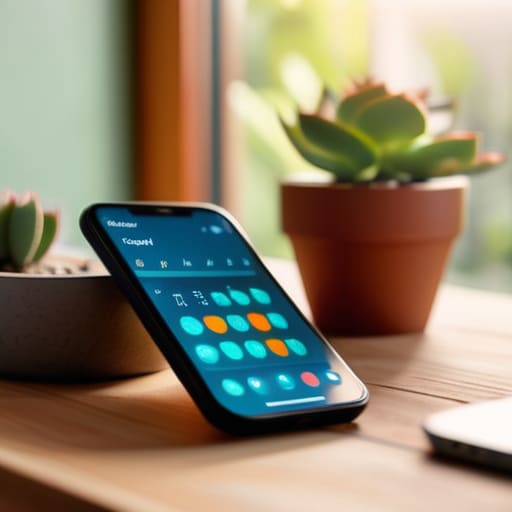
I used to think I needed some high-tech, futuristic scheduling system to manage my freelance gigs and garden shifts, but honestly? I always end up circling back to Google Calendar. It’s not flashy, and it definitely doesn’t have a “vibe,” but it works because it’s reliable. I just plug in my deadlines and my grocery runs, and it stays out of my way.
Notion for the organized brain
If you’re like me and your brain feels like it has fifty tabs open at once, Notion might be your new best friend. I use it as a sort of digital junk drawer that actually stays organized. I’ve got everything from my client project trackers to my plant care schedules and even my budget notes tucked away in different pages.
Todoist for the daily grind
Sometimes, a massive project feels so heavy that I just freeze up. That’s when I turn to Todoist to break things down into tiny, manageable bites. There is something weirdly satisfying about checking off a task that says “email landlord” or “buy compost” instead of just staring at a vague, intimidating goal.
Forest for staying off your phone
We’ve all been there: you sit down to work, and suddenly you’ve spent forty minutes scrolling through mindless videos. I struggle with this more than I care to admit. Forest is a little app that gamifies staying focused by letting you grow a virtual tree while you work. If you leave the app to check social media, your tree dies.
Trello for visual thinkers
If lists feel too restrictive and you need to actually see where your projects are sitting, Trello is a lifesaver. I use a Trello board to track my furniture restoration projects—moving a chair from “found on curb” to “sanding” to “finished.” Seeing the physical progress visually makes the work feel much more tangible.
The Bottom Line
Stop downloading every shiny new tool you see on TikTok; if an app makes you feel more overwhelmed than organized, it’s not a tool, it’s just digital clutter.
Productivity isn’t about squeezing every single second out of your day, it’s about using simple systems so you actually have time to breathe and exist.
The best setup is the one that actually sticks—choose the simplest version of a workflow that works for your real, messy life, not some idealized version of it.
The Bottom Line
At the end of the day, these apps are just tools, not magic wands. Whether you’re leaning on a simple task manager to keep your freelance deadlines straight or using a focus timer to stop the endless doomscrolling, the goal is the same: making space for what actually matters. You don’t need a complex, multi-layered ecosystem of subscriptions to be “productive.” You just need a system that actually works for your brain without adding more clutter to your already busy life. Pick one, test it out for a week, and if it feels like more work than it’s worth, toss it.
Please remember that your worth isn’t measured by how many boxes you check off a digital list. I spent way too long thinking that if I just found the “perfect” app, I’d finally feel like I had my life together, but the truth is that productivity is about intention, not just constant movement. Use these tools to reclaim your time so you can spend it doing things that actually make you feel human—like sitting in a garden, reading a real book, or just breathing. Be kind to yourself; you’re doing better than you think.
Frequently Asked Questions
Do I really need to pay for a subscription, or are the free versions actually enough to get through a normal workday?
Honestly? For most of us, the free versions are more than enough. I’m all about avoiding those “subscription creep” expenses that eat your budget. Unless you’re running a massive team or need hyper-specific data syncing that only the Pro tier offers, stick to the free stuff. If a free app can’t handle your basic to-do list or calendar, it’s probably too complicated for what you actually need anyway. Save your money for something better.
How do I stop myself from spending more time "organizing" my apps than actually doing the work?
Honestly? You’re “productive procrastinating.” It feels like work because you’re moving things around, but it’s just a way to avoid the actual scary tasks. My rule is: if it takes more than ten minutes to set up, it’s too complicated. Stop looking for the perfect aesthetic or the ultimate color-coded system. Just pick one tool, dump your tasks in, and start. The organization should serve the work, not become the work itself.
Is it worth trying to sync everything across my phone and laptop, or is that just more digital clutter to manage?
Honestly, it’s a bit of both. If you’re constantly jumping from a laptop for work to your phone for quick notes, syncing is a lifesaver. It stops that frantic “where did I write that?” feeling. But, if you’re just syncing every single junk app, you’re just inviting digital noise into your life. My rule? Only sync the essentials—notes, calendars, and maybe a task list. Everything else? Let it stay isolated. Keep your digital space as intentional as your physical one.